
IO was originally a Linux-only application. The main benefit of this was that it allowed me to use Linux Abstract Sockets for super-simple local communication among IO, Envoy, and other local processes. But the vision of IO is to be a tool that goes from development to production, and while Linux is nearly universally-used for deployments, many developers still build their applications on Macs (but not me, I love my Ubuntu laptops!).
I’ve always felt that MacOS support would come eventually, and while making the changes for XDG Base Directory support, I realized that it was a good time to explore Darwin (MacOS) support, which mainly seemed to require IO to create files for all of the sockets that it used. Fortunately, I had already centralized socket management, so this was easy, and with a MacOS build of Envoy, IO works great!
Where to get that MacOS build of Envoy was a challenge – I really don’t like building Envoy – but Homebrew offers a fresh build of Envoy that can be easily installed with brew install envoy.
Here’s IO running on a 16GB Mac mini M4:
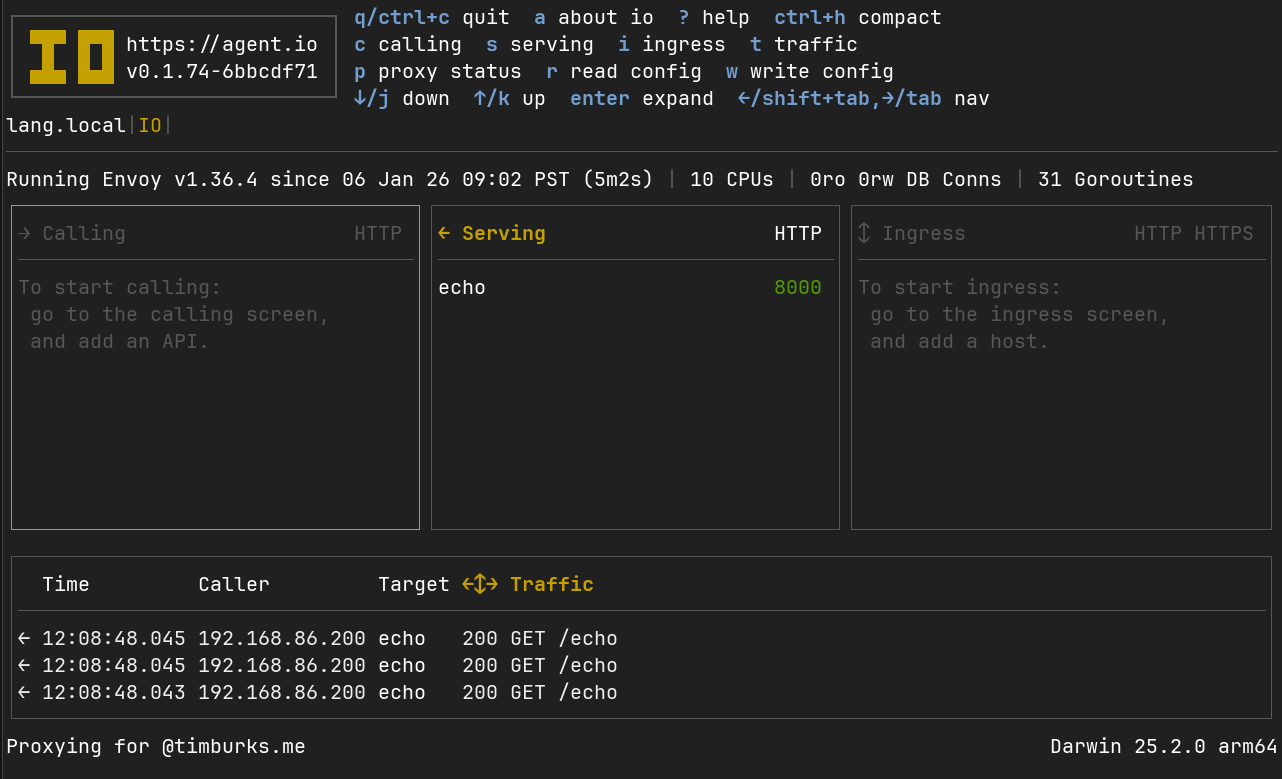
Performance is another topic, but let me just say here that it’s very satisfying.
Pros#
- This makes IO useable for a much larger audience of developers.
- It was easy to add.
Cons#
- I don’t have a solution for Windows (just use WSL?).
- It’s another platform to maintain and test.
- Distribution is an open question. Should I distribute IO with Homebrew?