Using IO and basic networking features of Podman, we can easily sandbox applications so that the only network connections they make go through IO.
Restrict application traffic with a Podman internal network.
Here's a quick demonstration. To emulate our application, we'll use the curl container image.
Let's exercise it by curling a public URL:
$ podman run --rm -it docker.io/curlimages/curl https://agent.io/hello.json
{"message":"hello!"}
To sandbox our curl, we'll create a Podman internal network and use it to attempt our request.
# create the internal network
$ podman network create --internal secure-internal

# this curl invocation will fail
$ podman run --rm -it --network secure-internal docker.io/curlimages/curl https://agent.io/hello.json
curl: (6) Could not resolve host: agent.io
Bridge connections to the outside world through IO.
Now let's set up an IO to call our remote URL. We'll use a calling configuration that allows clients to call the upstream service on a local port. We put this in a file named calling.hcl:
calling "agentio" {
  name   = "Agent IO"
  target = "agent.io"
  port   = 4000
  operation "get-hello" {
    method = "GET"
    path = "/hello.json"
  }
}
To this we'll add our IO license key and an SSH key to allow us to connect to our IO over SSH. Here's a redacted license.hcl that contains our IO license key:
license = "eyJhbGciO..."
Here's a redacted users.hcl with my public SSH key:
user "tim@agent.io" {
  name       = "Tim Burks"
  public_key = "ssh-ed25519 AAAA..."
}
Put these files in a directory called io and run the IO image once with Podman to initialize the IO database.
$ podman run --rm -v ./io:/io ghcr.io/agentio/io:latest -c ./io/license.hcl -c ./io/users.hcl -c ./io/calling.hcl -x
Now we can create a public network for our IO to use and attach our IO container to both the external and internal networks.
# create the internal network
$ podman network create --internal secure-internal
# start an IO
$ podman run --name myio --network public-bridge --network secure-internal -p 2200:2200 -v ./io:/io ghcr.io/agentio/io:latest
Now we go to another terminal and rerun our curl command with the internal network, sending the request to our IO container.
$ podman run -it  --net secure-internal docker.io/curlimages/curl http://myio:4000/hello.json
{"message":"hello!"}
Requests to the outside world are still blocked:
$ podman run -it  --net secure-internal docker.io/curlimages/curl https://agent.io/hello.json
curl: (6) Could not resolve host: agent.io
(Aside) Linux abstract sockets are great, but we can't use them for sandboxing.
We can also connect to our IO using Linux abstract sockets, but only if we change the network configuration of our container and run it in the same network namespace as our IO.
podman run -it  --net container:myio docker.io/curlimages/curl http://anything/hello.json --abstract-unix-socket io-calling-agentio
{"message":"hello!"}
But this breaks our sandbox and allows curl to see outside the container.
$ podman run -it  --net container:myio docker.io/curlimages/curl https://agent.io/hello.json
{"message":"hello!"}
So for now we happily use TCP networking to make requests from our sandboxed app.
IO can allow only the HTTP requests that you authorize.
If you tried any other URLs, you might have noticed that only GET requests to /hello.json are allowed by our IO. This is because our calling configuration only mentions that one specific operation. When a calling configuration specifies at least one operation, all others are blocked.
$ podman run -it  --net secure-internal docker.io/curlimages/curl http://myio:4000
GET / is not allowed

$ podman run -it  --net secure-internal docker.io/curlimages/curl http://myio:4000/hello.json -X PUT
PUT /hello.json is not allowed
IO can record and display all of your application's network traffic.
We can view our traffic by connecting to our IO over ssh:
ssh localhost -p 2200
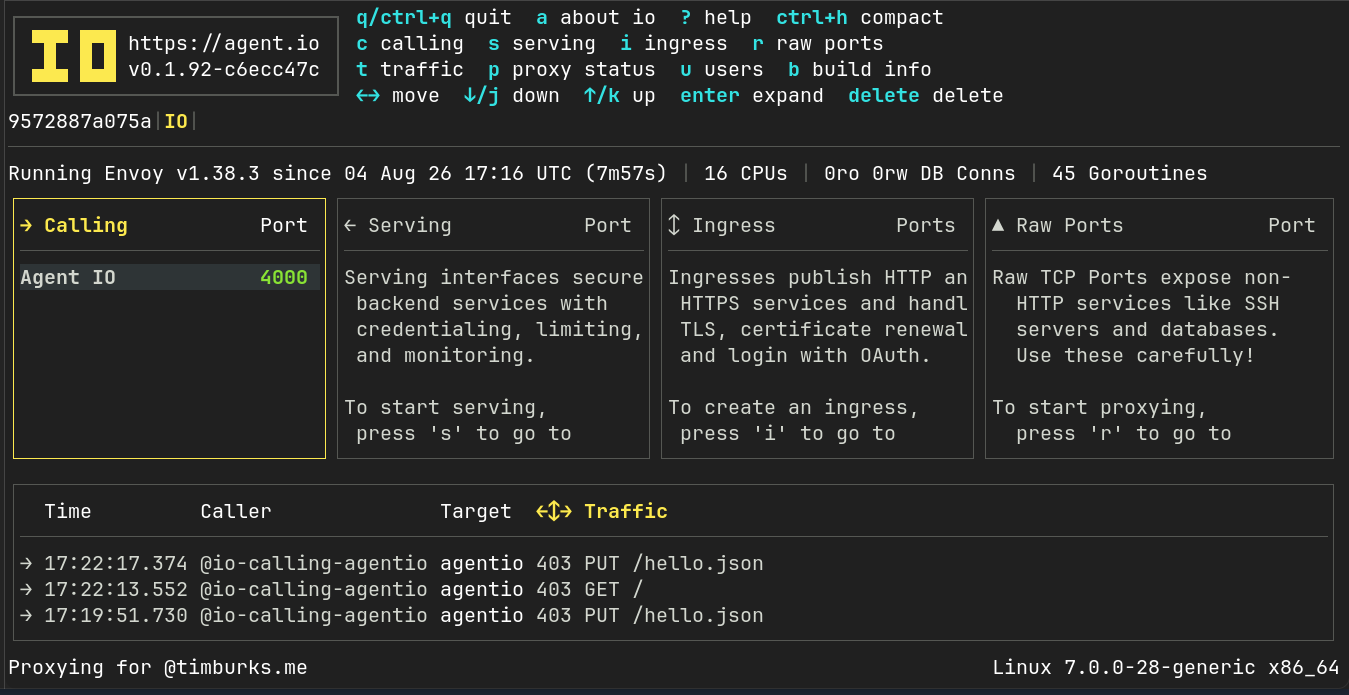
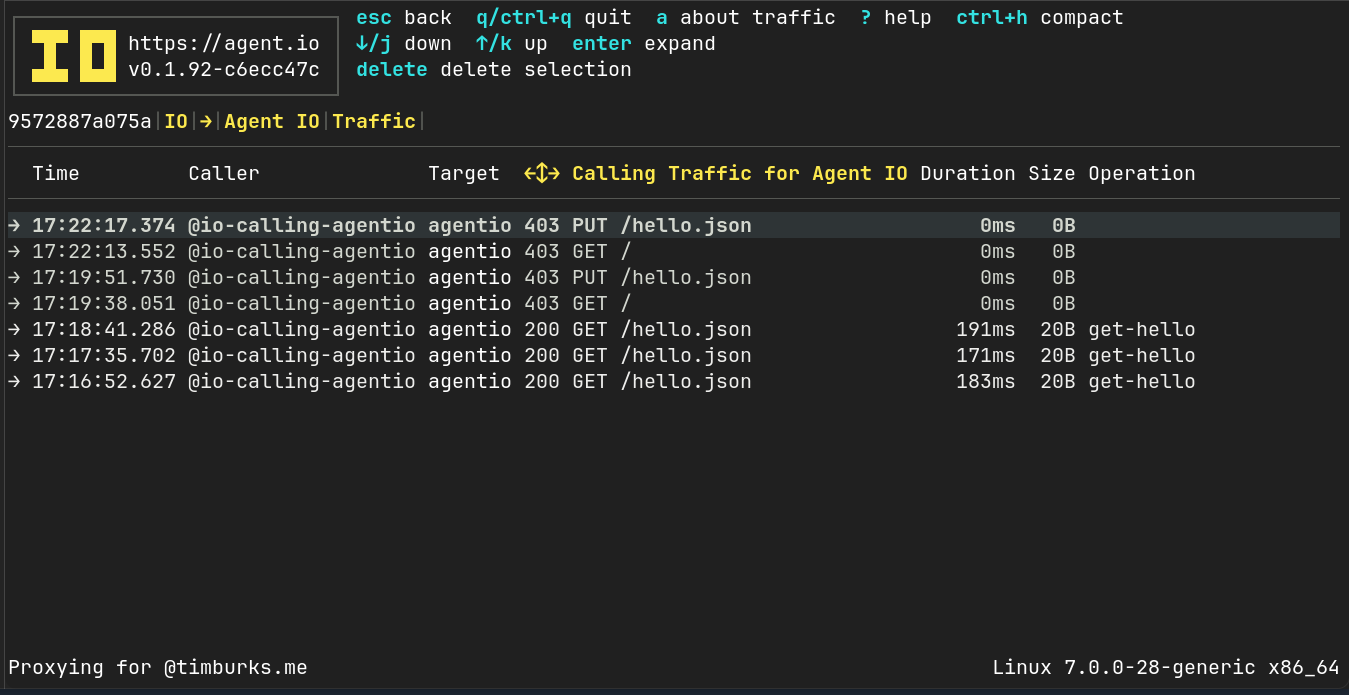
Here we can see both the allowed and blocked requests. From a traffic detail screen, we can easily create new operations from blocked items.
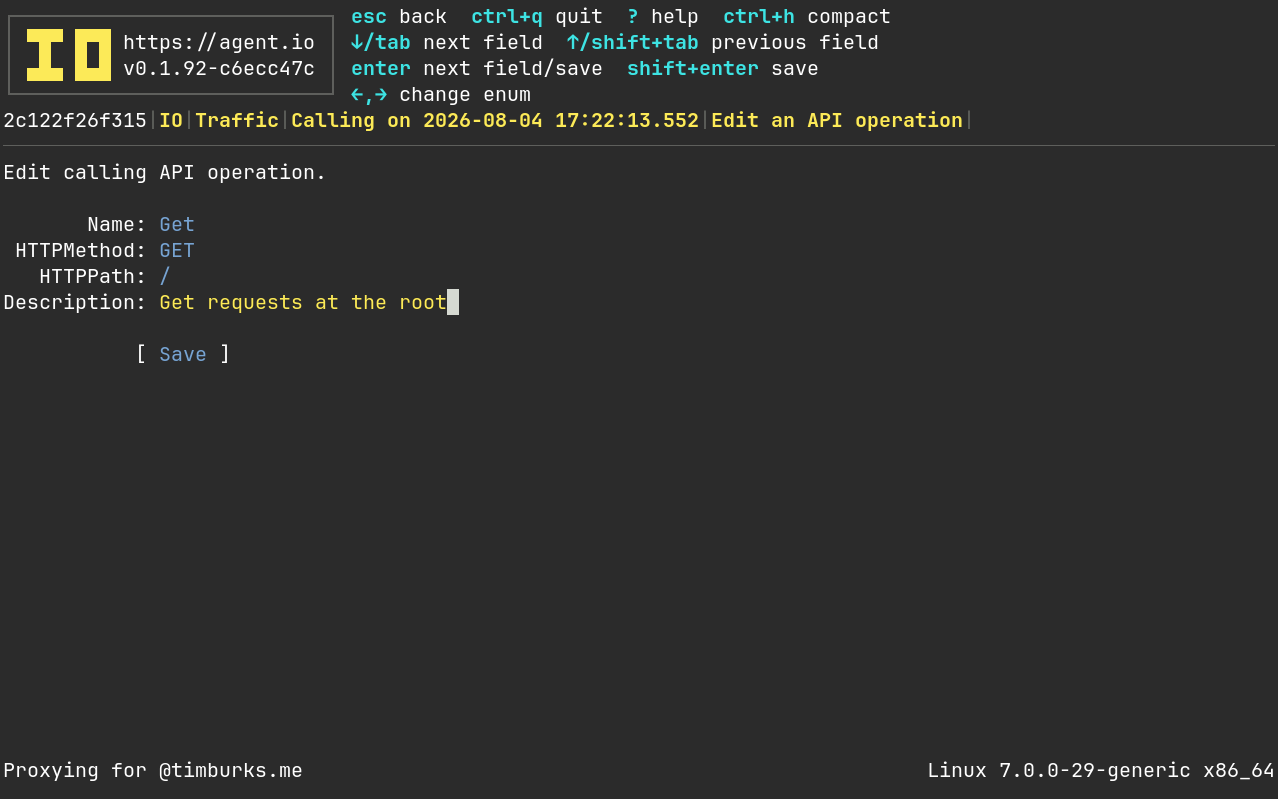
After adding this, requests to GET / will succeed!
$ podman run -it  --net secure-internal docker.io/curlimages/curl http://myio:4000/
<lots of HTML>