Using networking features of Podman, we can sandbox applications so that the only outbound connections they make go through IO.
Here's a quick demonstration. To emulate our application, we'll use the curl container image.
Let's exercise it by curling a public URL:
$ podman run --rm -it docker.io/curlimages/curl https://agent.io/hello.json
{"message":"hello!"}
To sandbox our curl, we'll create an internal Podman network and use it to make the request.
# create the internal network
podman network create --internal secure-internal

# this curl invocation will fail
podman run --rm -it --network secure-internal docker.io/curlimages/curl https://agent.io/hello.json
curl: (6) Could not resolve host: agent.io
Now let's set up an IO to call our remote URL. We'll use a calling configuration:
calling "agentio" {
  name   = "Agent IO"
  target = "agent.io"
  port   = 4000
  operation "get-hello" {
    method = "GET"
    path = "/hello.json"
  }
}
To this we'll add our IO license key and an SSH key to allow us to connect to our IO over SSH.
license = "eyJhbGciO..."
user "tim@agent.io" {
  name       = "Tim Burks"
  public_key = "ssh-ed25519 AAAA..."
}
Put these files in a directory called io and run the IO image once with Podman to initialize the IO database.
podman run --rm -v ./io:/io ghcr.io/agentio/io:latest -c ./io/license.hcl -c ./io/users.hcl -c ./io/agentio.hcl -x
Now we can create a public network and attach our IO container to both of our networks.
# create the internal network
podman network create --internal secure-internal

podman run --name myio --network public-bridge --network secure-internal -p 2200:2200 -v ./io:/io ghcr.io/agentio/io:latest
Now rerun our curl command with the internal network and send the request to our IO container.
$ podman run -it  --net secure-internal docker.io/curlimages/curl http://myio:4000/hello.json
{"message":"hello!"}
We can also connect to our IO using Linux abstract sockets, but only if we run our container in the network environment of our IO.
podman run -it  --net container:myio docker.io/curlimages/curl http://anything/hello.json --abstract-unix-socket io-calling-agentio
{"message":"hello!"}
Unfortunately this breaks our sandbox and allows our curl to see outside the container.
$ podman run -it  --net container:myio docker.io/curlimages/curl https://agent.io/hello.json
{"message":"hello!"}
So for now we happily use TCP networking to make requests from our sandboxed app.
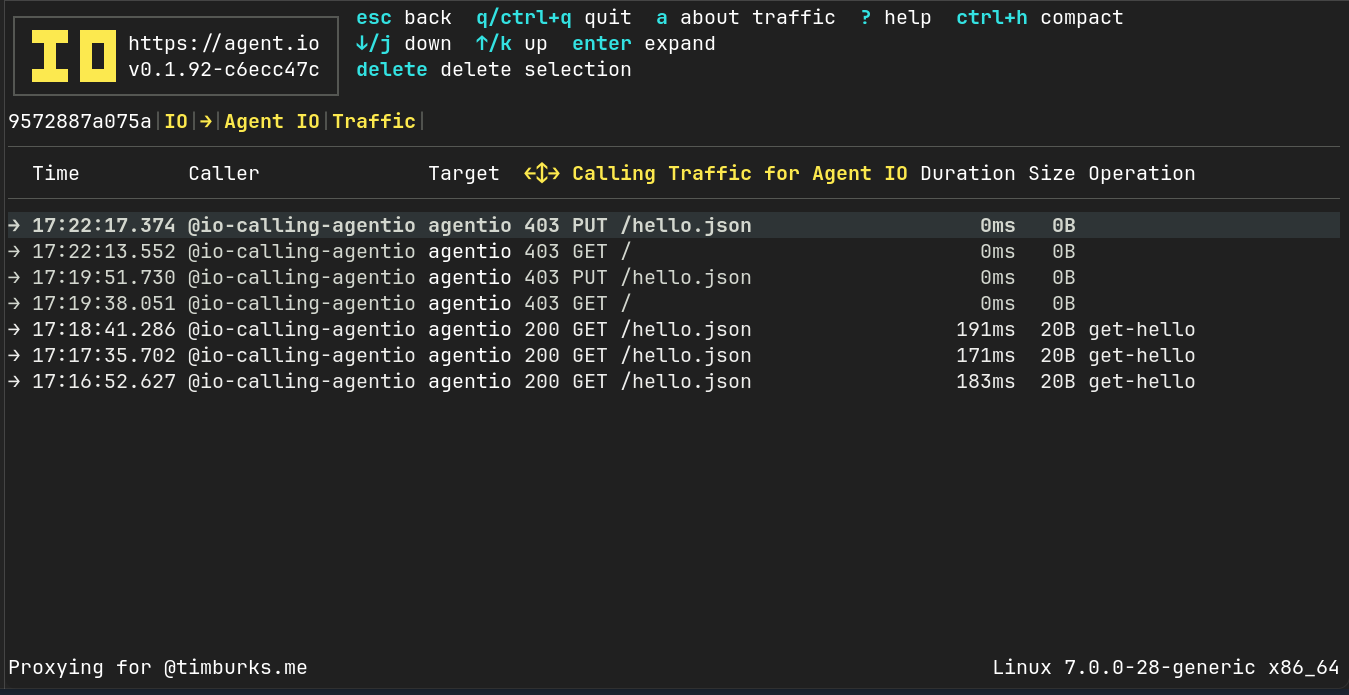
You might have noticed that only GET requests to /hello.json are allowed. This is because our calling configuration only mentions that one specific operation. When we specify at least one operation, all others are blocked.
$ podman run -it  --net secure-internal docker.io/curlimages/curl http://myio:4000
GET / is not allowed

$ podman run -it  --net secure-internal docker.io/curlimages/curl http://myio:4000/hello.json -X PUT
PUT /hello.json is not allowed
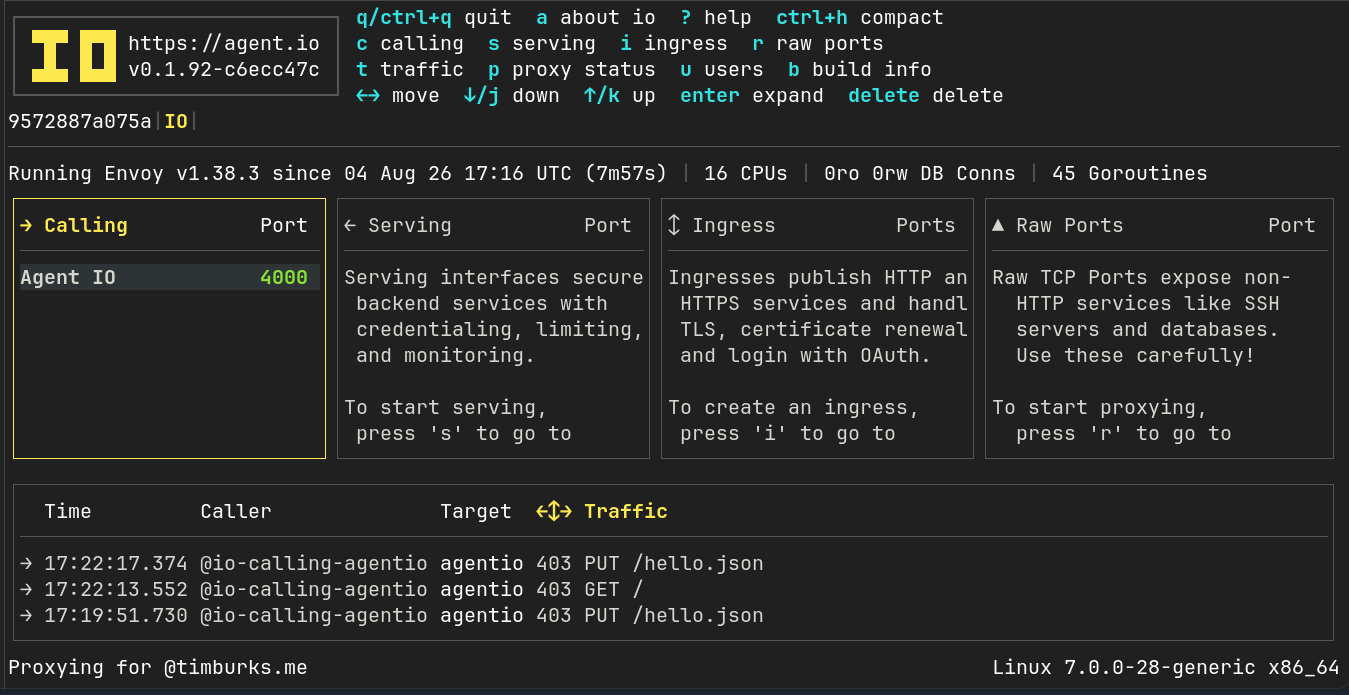
We can view our traffic by connecting to our IO over ssh:
ssh localhost -p 2200